


Camera for Android - HD Camera
4.35.00 Reviews
App Specs
- Version
- 0.0.15
- Updated On
- License
- Free
- Downloads
- 100,000+
- Developer
- Bright Solved
- Categories
- Photography
- Platform
- Android
Screenshots
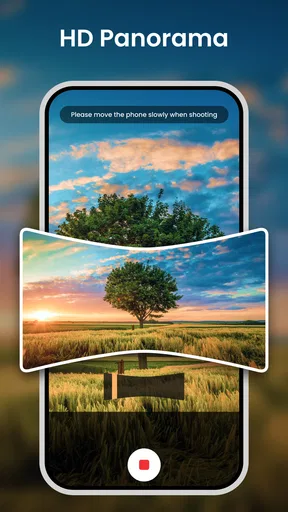
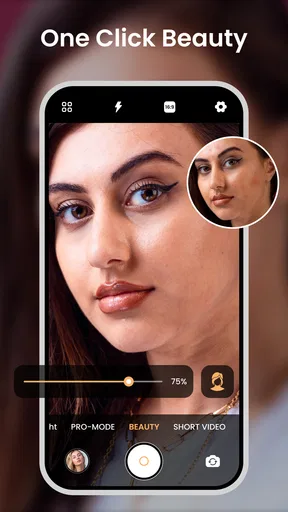
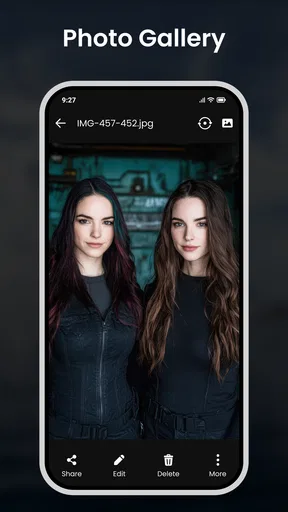
 Analysis by AppCompare
I spent time using Camera for Android - HD Camera as a straightforward photography app, and my first impression was that it aims to make everyday shooting feel more direct than the camera already installed on a phone. It is built by Bright Solved and sits in the photography category, with a focus on quick snapshots, sharper-looking video, selfie tools, beauty filters, and visual effects. The app is free, rated for Everyone, and supports devices running Android 11 or later.
That combination makes it easy to understand who may enjoy it: someone who wants a simple camera interface with extra creative controls, without paying before trying it. I would not describe it as a complete replacement for every phone camera, though. Its value depends heavily on how well its controls fit your habits and whether you need dependable advanced photography tools or mainly want a quicker route to casual photos and decorated selfies.
How the current version feels in everyday use
The current release is version 0.0.15, which gives the app a relatively early-stage feel rather than the impression of a long-established camera suite. That is not automatically negative. A smaller, focused camera app can be less distracting than a feature-heavy alternative, especially when I am trying to capture a moment quickly instead of adjusting a long list of settings.
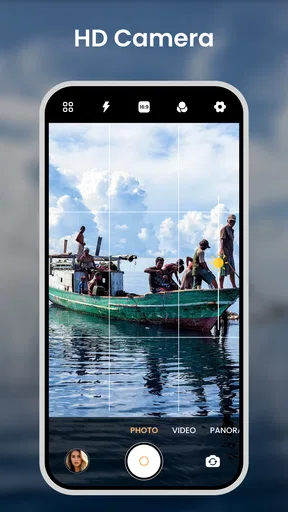
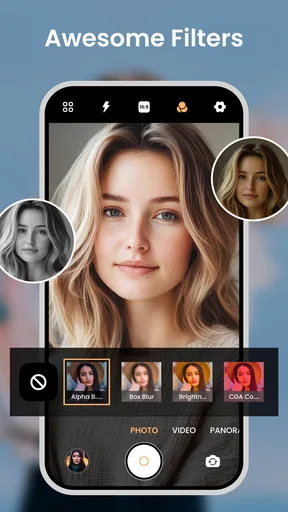
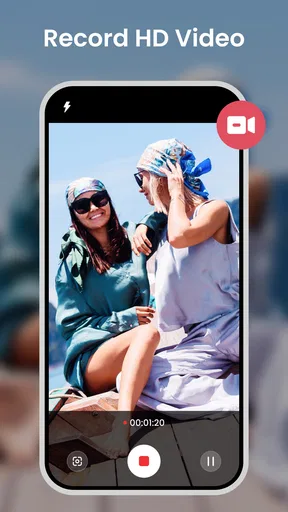
The central appeal is the mix of ordinary camera use and built-in creative treatment. I can imagine opening it for a quick photo, switching to a selfie, applying a beauty effect, or trying a visual filter before sharing the result. The store summary also highlights HD capture and 4K video, so the app is aimed at people who want more than a basic point-and-shoot experience.
There is an important practical distinction here: an app can offer a high-resolution or high-quality capture mode, but the final result still depends on the phone's camera hardware, lighting, stabilization, and available storage. I would therefore treat the 4K option as useful when the device supports it well, not as a promise that every Android phone will produce the same footage.
For a normal walk, a family gathering, a quick food photo, or a casual selfie, the concept makes sense. The app is most appealing when I want the camera and creative treatment in one place. It is less compelling if I already like the phone manufacturer's camera and rarely use filters or beauty adjustments.
A practical routine for quick photos
My preferred way to use an app like this is to decide the purpose before pressing the shutter. For a fast snapshot, I would leave effects alone, frame the subject, and capture first. If the image is meant for a social post, I would then try a restrained filter or beauty adjustment rather than applying the strongest effect immediately. This keeps the original-looking result from becoming overprocessed.
Worth Reading Before You Choose

EA SPORTS FC Mobile 26 Is a Bigger Football Game, but It Takes Time

Flipboard Shows What News Apps Must Do Beyond the Feed

Switching to Android Auto Means Rethinking Your Driving Routine

Google Calendar Makes a Crowded Week Easier to Manage

Ludo King Makes the Most of the Minutes Between Plans

Baby Panda World Brings Quick Play to Modern Phones, but Its Game Library Feels Busy
That workflow matters because beauty tools are easy to overuse. A small adjustment can help a portrait look more polished, while an aggressive setting may soften important details or make skin look unnatural. I would especially check the eyes, hair, and edges of the face after applying an effect. Those areas reveal processing problems faster than a quick glance at the whole screen.
For video, I would test the chosen quality mode indoors before relying on it for an important recording. Higher-resolution video can create larger files and may place more demand on the phone. A short test also helps me judge whether the device stays comfortable during recording and whether the result is smooth enough for the situation. This is a more useful approach than selecting the highest option automatically.
Where the creative tools are genuinely useful
The filters and effects are not only for selfies. I could use a subtle treatment to give a series of travel photos a consistent mood, or use an effect when taking a quick image for a message where visual style matters more than accurate color. The key is to choose the effect for the subject. A dramatic treatment may work for a night scene or a playful portrait, but it can make food, clothing, and product colors less trustworthy.
Beauty filters are particularly suited to informal portraits, video calls recorded as clips, and quick social content. They are not a substitute for careful lighting. If the room is dark, moving closer to a window or turning toward a soft light will usually help more than increasing the filter strength. That is one of the trade-offs I noticed in the app's overall concept: software treatment can polish a picture, but it cannot fully recover detail that poor lighting never captured.
The quick-snap idea also has a useful everyday angle. When a child, pet, or moving subject gives me only a moment, a simple camera path is more valuable than a complicated editing panel. I would open the app before the action starts, select the regular photo mode, and avoid changing effects while the subject is moving. Preparing first is the best way to benefit from speed.
What the release and version tell me about its direction
Camera for Android - HD Camera was released on July 15, 2026, and its current version remains 0.0.15. I read that as a sign that the product is still establishing its identity. The basic direction is already clear: accessible camera capture combined with selfie enhancement, filters, effects, and high-definition video. What is less clear from using an early version is how far it will develop into a deeper photography tool.
For existing users, the current release is best judged by whether the core routine works reliably on their particular phone. If quick photos, selfies, and occasional video are the main goals, the app already has a coherent reason to exist. Someone looking for manual control, detailed exposure work, or a carefully organized professional workflow should be more cautious and compare it directly with the manufacturer's camera and established photography apps.
The version number also changes how I interpret small annoyances. A young app can improve its interface and polish over time, but I would not install it expecting every advanced camera habit to be supported immediately. I would first test the modes I actually need, then decide whether the convenience is worth keeping alongside the default camera.
Its audience size suggests that people are already discovering it: the app has passed one hundred thousand installs and holds a 4.3 average from roughly two hundred ratings. Those figures indicate meaningful interest, but they do not tell me whether it will match every phone model or shooting style. Camera performance is unusually dependent on hardware, so personal testing remains more important here than popularity alone.
How it compares with the camera already on a phone
The default camera usually has one major advantage: it is designed around the phone's own lenses and image processing. It may also connect more naturally with the device's gallery, hardware buttons, portrait modes, or manufacturer-specific features. If I care most about dependable low-light results, fast focus, or the best use of multiple lenses, I would begin with that built-in option.
This app has a different advantage. It brings a photography-focused set of creative ideas into a separate, consistent place, which may be more convenient for someone who regularly uses beauty filters and effects. Instead of taking a photo in one app and opening another to experiment, I can keep the capture and visual treatment closer together.
That convenience comes with a compromise. A third-party camera may not expose every hardware feature offered by the phone, and the visual result may differ from the manufacturer's processing. I would compare the same subject in the same light using both apps. A bright outdoor scene can make two cameras look equally good, so I would also test a dim room, a moving subject, and a face near the edge of the frame.
Compared with a dedicated editing app, Camera for Android - HD Camera is more immediate. It is better suited to making a choice while taking the picture than to building a complex edit afterward. If I want layers, precise masking, extensive color correction, or a detailed export workflow, I would choose a full editor instead. If I want a quick effect before sharing, this simpler approach may be preferable.
Questions I would answer before installing it
Does it suit an older phone? The minimum requirement is Android 11, so devices below that threshold are not a match. On compatible phones, I would still check available storage before recording high-quality video, because larger video files can fill space faster than ordinary photos. I would also test performance rather than assuming that the same mode behaves identically across devices.
Is it suitable for children? The content rating is Everyone, which fits a general-purpose camera. Even so, I would supervise younger users when they are sharing photos or recording video, since the safety question around a camera is often about where images go and who receives them rather than the camera controls themselves.
Does free mean it is the best value? It costs nothing to try, which lowers the risk of comparing it with the default camera. I would keep it only if its quick access to effects, beauty tools, or the preferred capture style saves me time. If I never use those features, the preinstalled camera may be the simpler choice because it avoids maintaining a second camera workflow.
Can it replace a professional camera app? In my view, not for every photographer. The app's strongest identity is approachable shooting with creative options. A user who needs repeatable manual settings, technical control, or a serious production workflow should look for an alternative built specifically around those needs. This app makes more sense as a convenient everyday camera than as a specialist instrument.
Remaining gaps and the trade-offs that matter
The biggest limitation is the gap between a promising feature list and the consistency people expect from a mature camera tool. High-definition video, effects, and selfie enhancement sound useful, but each one needs to work smoothly on the individual device. A feature that looks attractive in the interface is not enough if it slows the camera, produces an unnatural portrait, or creates files I cannot manage comfortably.
I also would not use a beauty filter as the default for every person in a group photo. Facial processing can treat people differently depending on their position, lighting, and expression. For a group, I would capture a clean version first, then experiment with an effect only if the result still looks natural across everyone. Keeping the unfiltered image is a simple safeguard against regretting an overly strong treatment later.
Another trade-off concerns color accuracy. Filters are enjoyable, but they make the app less suitable for documenting paint colors, clothing shades, artwork, or items I plan to sell. For those tasks, I would turn off creative effects and compare the result with the default camera in neutral daylight. The app's creative strength can become a weakness when faithful reproduction matters.
Video users should think about the whole recording process, not just resolution. A short social clip may benefit from a high-quality setting, while a long event recording may be easier to store and share at a lower setting if the phone offers that choice. I would plan around the destination: a private memory, a message, and a public upload do not all need the same file size.
There is also the question of habit. Switching between two camera apps can create confusion about where photos are saved, which settings are active, and which camera produced a particular result. I would give this app one clear role, such as selfies and quick creative shots, instead of using it randomly beside the default camera. That division makes it easier to decide whether it is genuinely helping.
Who should use it and who should skip it
I would recommend trying it to Android users on version 11 or newer who want a free camera with a more playful selfie and effects angle. It is a sensible candidate for casual creators, people who often take quick portraits, and anyone who wants to experiment without opening a separate editor after every shot. The Everyone rating also makes it approachable for general household use, with normal care around sharing images.
I would be less likely to recommend it to a photographer who values manual control above convenience. I would also steer away from it as the only camera for important once-only moments until I had tested it thoroughly on the phone I planned to use. For those situations, the default camera's familiarity and hardware integration may be safer.
People with limited storage should be selective about high-quality video. People who dislike processed selfies should leave beauty tools and effects off or use them sparingly. And anyone who expects a full editing studio will probably be happier with a dedicated editor alongside the phone's camera rather than treating this app as an all-in-one professional solution.
What I would watch as the app develops
Because the current release is still version 0.0.15, I would watch for improvements that make the main experience more dependable rather than simply adding more effects. Better clarity about capture modes, smoother switching between photo and video, and a predictable workflow would matter more to me than a larger collection of decorative options.
I would also pay attention to how well the app handles different Android phones. A camera application earns trust when its behavior is consistent across lighting conditions and hardware, especially for quick snapshots. If future updates refine that foundation, the existing creative tools could become much more useful because I would feel comfortable relying on them instead of treating them as experiments.
For now, my recommendation is practical: install it if you want an easy second camera centered on quick photos, selfies, filters, effects, and high-definition video. Test it against your built-in camera using the same subjects, especially indoors and in motion. The best reason to keep it is not the promise of more camera features, but whether it makes your personal shooting routine faster and more enjoyable.
After trying it, I would keep the app for casual creative work if the effects look natural and the camera responds quickly on my device. I would skip it if the default camera already handles my needs better or if I need technical control. That leaves Camera for Android - HD Camera in a useful middle ground: a free, approachable photography option from Bright Solved, with enough personality to deserve a test but with the early-version limitations that make comparison essential.
Pros
- Simple interface makes taking photos quick for beginners.
- Offers useful exposure and focus controls for more precise shots.
- Supports front and rear cameras for selfies and regular photography.
- Includes timer options for hands-free photos.
- Works well as a lightweight alternative to feature-heavy camera apps.
Cons
- Image quality depends heavily on the phone’s camera hardware.
- Some features may vary between Android devices.
- May display ads or promotional content during use.
- Advanced editing tools are limited compared with dedicated photo apps.
- Low-light photos can show noise and reduced detail.
FAQs for Camera for Android - HD Camera
What is Camera for Android - HD Camera, and what can it do?
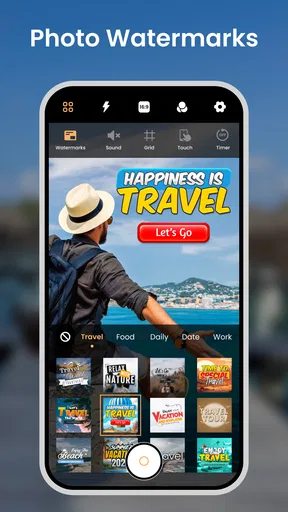
Camera for Android - HD Camera is a photography app designed to provide a more accessible alternative to the default camera application. After opening it, users can usually switch between the front and rear cameras, take still photos, record video, adjust flash settings, and review captured media. Depending on the device, it may also offer zoom, exposure controls, focus options, scene modes, grids, timers, and resolution settings. The exact tools and image quality depend heavily on the phone’s camera hardware and Android version.
Does Camera for Android - HD Camera improve photo quality on every phone?
Not necessarily. The app can provide a cleaner interface and additional controls, but it cannot overcome the physical limitations of a phone’s camera sensor, lens, or image-processing system. On some devices, it may produce results comparable to or slightly different from the preinstalled camera, while other phones may restrict access to advanced features. Before downloading, users should understand that “HD” generally refers to available resolution or presentation and does not guarantee professional-level image quality.
What permissions does Camera for Android - HD Camera require?
A camera application normally needs permission to use the device’s camera and microphone, especially when recording video with sound. It may also request access to photos, videos, or device storage so captured files can be saved and viewed. These permissions are reasonable for the app’s main functions, but users should review the Android permission prompts carefully and deny anything that appears unrelated. Permission names and availability can vary according to the Android version and the app’s current release.
Can I use Camera for Android - HD Camera without an internet connection?
Basic photography and video recording should generally work without a mobile-data or Wi-Fi connection because the camera hardware is built into the device. However, some versions may display advertisements, request online services, or include features that depend on external content. Offline behavior can also differ after an update. If you want to take photos while traveling or in areas with poor reception, it is sensible to test the camera, gallery access, flash, and video recording in airplane mode before relying on it.
Is Camera for Android - HD Camera free, and are there any disadvantages to consider?
The application may be available as a free download, but users should check its current Google Play listing for advertising, optional purchases, subscription details, and supported Android versions because these conditions can change. Free camera apps may show banners or full-screen advertisements, and some devices may experience slower performance, limited controls, or compatibility issues. It is also worth comparing the app with the phone’s built-in camera, which may offer better manufacturer-specific processing and tighter hardware integration.


